Guide
Why does the OCR provider bill more pages than your app counted?
Short answer: When an OCR provider billed more pages than your app counted, run an OCR cost audit request by request. Log each request or operation ID, pages sent, status and time, then compare them with the provider’s usage for the same window. Check whether you sent the whole file, how a “page” is counted, whether paid add-ons have a separate meter, and whether retries repeated a finished call. Do it during the month, not after the invoice.
Why does an OCR or document-intelligence provider bill more pages than my application counted?
The two numbers may not count the same thing. Check whether whole files were sent without a page range, whether the provider defines a page differently from your application, whether paid add-ons sit on a separate meter, whether a call was repeated, and whether both totals cover the same time window. Only request-level records can show which of these applies to your bill.
A gap between the pages your application logged and the pages a provider’s portal shows is usually a reconciliation problem, not a rounding error. Do the reconciliation during the month, not after the invoice arrives.
A reported Document Intelligence Processed Pages discrepancy
On 20 October 2026, a user posted this question on Microsoft Q&A: Investigation Request: Azure Document Intelligence Processed Pages Discrepancy – September 2026. These are the figures and settings as the poster reports them:
- Period: 1 to 30 September 2026.
- Pages counted by the application: 63,107.
- Pages shown in the Azure portal: 73,748.
- Difference: 10,641 pages, about 16.86%.
- Model: prebuilt-invoice, with ocrHighResolution enabled.
- Input formats: PDF, JPG and PNG only.
- Ten failed requests with the message “Shutdown in progress”, which the poster says cannot explain the gap.
The figures have not been independently audited. A Microsoft employee replied on 4 November 2026 with a general list of checks: transaction-level logs, page-counting rules, retries, and request or operation IDs. The reply did not explain the gap. This page does not guess at the cause of that bill.
Reconcile OCR page charges request by request, not as a monthly total
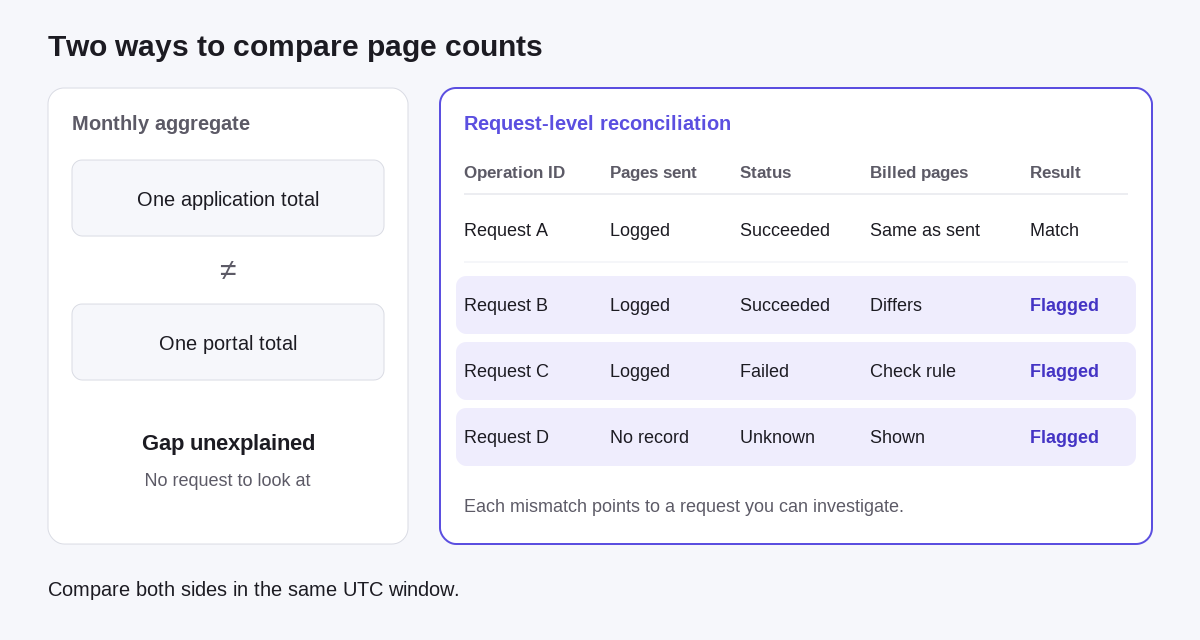
A monthly aggregate gives you two totals and a difference. It hides retries, duplicate submissions, time windows that do not match, and meters that were added together. Compare both sides in the same UTC window, one request at a time.
How do I reconcile document-extraction costs at the level of a single request?
Take your own call log and the provider’s usage for the same UTC window, and match them row by row on the request or operation ID. Flag calls with no matching usage, usage with no matching call, and page counts that differ. If the usage view does not go down to single requests, ask the provider for transaction-level records.
What should I log for each extraction request so I can audit the bill later?
For every analyze call, log the timestamp in UTC, the request or operation ID, the model and feature flags, the pages you sent with any page-range parameter, and the response status. Keep your own document reference next to them, so that a duplicate submission is visible.
On Azure Document Intelligence, an accepted analyze call returns HTTP 202 with an Operation-Location header, and the path of that address contains the result ID. Log that ID next to the pages you sent and the HTTP status. The Microsoft reply on the Q&A thread also recommended correlating by request IDs or operation IDs.
This is process advice for any provider. It is not a claim that a particular portal is wrong.
Do not send pages you do not need
Does sending a whole PDF charge every page, even the ones I did not need?
It can. Azure Document Intelligence documentation states that when a document is submitted for analysis, the service analyzes all pages unless you specify a page range with the pages parameter. If you send a 20-page PDF to read two invoice pages, all 20 pages may be analyzed and billed. For any other provider, check its documentation.
The pages parameter takes 1-based page numbers, for example 1-3,5,7-9.
A worked example. A PDF has 20 pages, and the invoice you need is on pages 1 and 2.
- Sent without a page range: all 20 pages may be analyzed and billed, while an application that counts only the invoice records 2. For this one file the two counts could differ by 18 pages.
- Sent with
pages=1-2: the request asks for the two invoice pages only, and your log should record 2 pages and that parameter.
This example shows one thing to check. It is not a confirmed cause of the gap reported in the Q&A thread.
Document extraction billing by page: apply the provider’s counting rules
How do providers count pages in PDFs, images, Word, HTML, Excel and PowerPoint files?
Each provider sets its own rules. In the Azure Document Intelligence billing rules, each page of a PDF and each image of a TIFF counts as one page. With the read, OCR or layout model, each Excel worksheet and each PowerPoint slide counts as one page. Word and HTML files that the read and layout models support are counted in blocks of 3,000 characters.
| Input or setting | What counts |
|---|---|
| PDF and TIFF | Each page in the PDF, or each image in the TIFF, is one page, with no maximum character limit. |
| Excel and PowerPoint (read, OCR or layout model) | Each worksheet and each slide is one page. |
| Word and HTML (where the read and layout models support them) | Pages are blocks of 3,000 characters. A document of 7,000 characters is three billable pages. |
| Embedded or linked images in Office and HTML files (read and layout models) | They are not analyzed, so they are not counted as added images. |
| The pages parameter | All pages are analyzed unless a page range is specified. |
The Q&A poster reports using only PDF, JPG and PNG files, so the character-block rule may not apply to that case. It is listed because it can surprise a team with a mixed workload.
Separate the model charge from paid add-ons
Do paid add-on features (high-resolution OCR, font extraction, formula extraction, query fields) change the bill or the page metric?
They can change the bill: Azure documents that some add-on features incur an extra cost. Whether a feature also changes the page metric is a separate question. Check both the Processed Pages metric and the add-on meters, and do not infer one from the other.
Optional features are switched on per request through the features parameter. In the 2024-11-30 GA table of the add-on documentation:
- Add-On: font property extraction, formula extraction, high-resolution extraction (
ocrHighResolution) and query fields. - Free: barcode extraction, language detection and key-value pairs.
Query fields are priced differently from the other add-on features. The official pricing page lists separate pay-as-you-go meters for models, Add-On and Query Fields, each per 1,000 pages. Read the current rates there.
The Q&A poster asked whether ocrHighResolution affects the Processed Pages metric or only the charges. The Microsoft reply did not answer that question. Check the Processed Pages metric in the Azure portal, which you can split by FeatureName, and check the add-on meters as well.
Retries, duplicate submissions and failed requests
Can retries or client timeouts cause the same document to be billed twice?
A client or network timeout can lead your code to repeat a call that had already completed on the server. Whether that happened, and how the repeat was billed, is a hypothesis to test with request IDs and to confirm with the vendor. It is not a billing rule this page can confirm.
The Microsoft employee’s reply listed retries as a usual place to look. Search your log for the same document reference with more than one request or operation ID.
Azure documentation also discusses repeating the GET request that polls for an analyze result, including throttling and the Retry-After header. Polling again for a result is not the same as submitting the document again, so log the two separately.
Are failed or timed-out requests billed?
Confirm it with your vendor. For Azure analyze calls that fail or time out, the official documentation checked on 27 November 2026 does not clearly say whether pages are billed if processing had already started. Put the question to the vendor, and keep request-level logs to compare with the answer.
The OCR cost audit checklist
How do I run an OCR cost audit?
Pick a sample period. Export every analyze call, pull the provider’s usage for the same UTC window including add-on meters, match the two on the request or operation ID, explain each mismatch, and compare the results with the billing rules in the provider’s current documentation.
- For a sample period, export every analyze call with its timestamp (UTC), request or operation ID, model or feature flags, pages sent (and any page-range parameter), and response status.
- Pull the provider’s usage for the same UTC window, including add-on meters, not only a single Processed Pages total.
- Match row by row on the request or operation ID. Flag calls with no matching usage, usage with no matching call, and page-count mismatches.
- For each mismatch, check: a whole file sent without a page range; a retry or duplicate submission; a page-counting rule that differs from the one your application uses; an add-on feature enabled on the request; a failed or partial response whose billing status is unclear.
- Confirm in the provider’s current documentation how failed analyses, re-analyses and unanalyzed pages are supposed to be billed, then see whether the usage log matches that rule.
- Prefer a tool whose cost you can predict before the job runs, and whose usage log lists what was actually charged.
Where DocSolved fits
Why does a predictable billing model matter when choosing a document-extraction tool?
You can only check a bill against a rule you know. When you can see the cost in pages before a job runs, and a usage log lists what was actually charged, you have a stated rule and a record to test each document against.
These are the DocSolved metering rules:
- Predictable pricing by page: analyzing one page of a document uses one page of your allowance. An AI sensitivity scan when sharing, when one is needed, costs one page per document (shown before you trigger it).
- Before you analyze, the card shows the estimated cost in pages and how many pages you have left.
- A failed analysis is not charged. Pages are metered once extraction has actually finished. If a document fails before that (an unreadable file, a provider outage), nothing is deducted. A page is not charged when the AI was unavailable or nothing could be read (within a monthly limit).
- DocSolved analyzes the first 5 pages of each document, and those are the pages charged. For a longer PDF you choose the first 5 pages, a page range of up to 5 pages, or a split into several documents. Only the page ranges you choose to analyze are charged. Pages you leave unanalyzed after a confirmed split are not charged.
- Correcting a field is free. Re-analyzing a saved document charges its pages again.
- On email ingestion, provider retries do not charge a completed attachment twice. A retried
POST /api/v1/jobswith the sameIdempotency-Keyreturns the same job. - Account settings shows a Usage & pages table of what was charged.
- For reconciliation through the API: responses and errors of
POST /api/v1/analyzecarry arequest_id, also sent as theX-Request-IDheader.POST /api/v1/jobsreturns ajob_idand arequest_id, andGET /api/v1/jobs/{job_id}returnspages_processed.
Factur-X, ZUGFeRD, KSeF FA(3) and UBL 2.1 invoices carry embedded structured XML. DocSolved reads that XML directly (no OCR, no LLM inference cost, no recognition error) and falls back to AI extraction only for documents without a structured data layer.
Metering rules do not replace your own request log. Keep one, and compare it with the usage table.
An OCR cost audit in one sentence
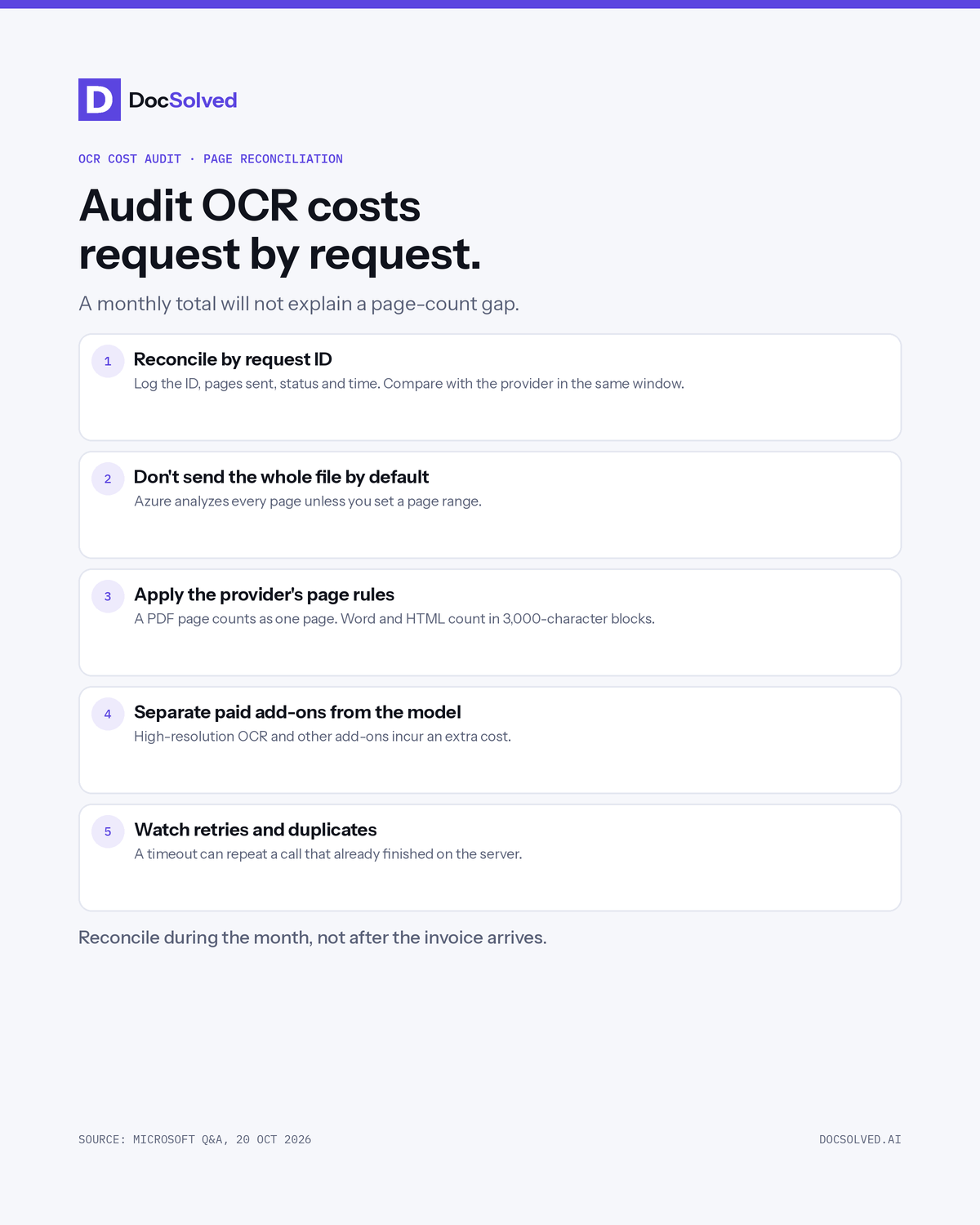
When the page counts do not match, compare your log with the provider’s usage request by request, then check the pages you sent, the counting rules, the add-on meters and any repeated calls.
Go to the OCR cost audit checklist
Create a free account. The first 100 pages are free, one time, with no card.
Sources
- Microsoft Q&A, Investigation Request: Azure Document Intelligence Processed Pages Discrepancy – September 2026. Posted 20 October 2026, Microsoft employee reply 4 November 2026.
- Azure Document Intelligence, Service quotas and limits. The Billing section: page-counting rules and the pages parameter.
- Azure Document Intelligence pricing. Billing by pages analyzed, and the separate Add-On and Query Fields meters.
- Azure Document Intelligence, Add-on capabilities. Which features are Add-On and which are Free.
- Azure Document Intelligence, Check usage and estimate the cost. The Processed Pages metric and splitting it by FeatureName.
- Azure REST API, Analyze Document, API version 2024-11-30. The pages and features parameters, and the Operation-Location header.
- DocSolved pricing. What counts against the allowance.
- DocSolved User Guide. The estimated cost before analysis, pages and allowance, and the Usage & pages table.
- DocSolved API documentation. Request and job identifiers, Idempotency-Key and X-Request-ID.
- DocSolved, Extract data from PDF documents. Choosing pages or splitting a longer PDF.